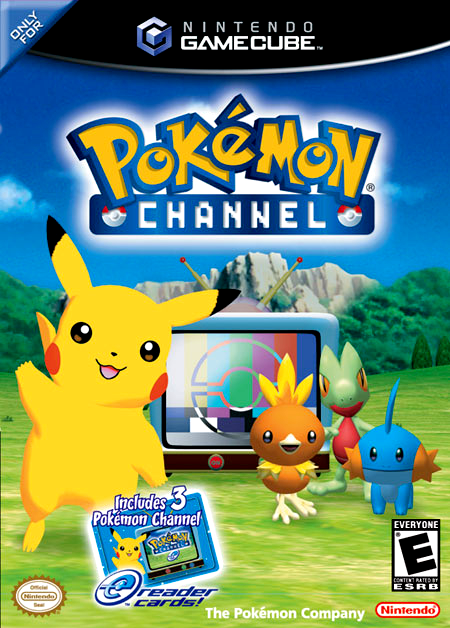
Pokémon Channel is a fascinatingly bizarre
GameCube title that released in 2003.
However, it features long segments of
the Pichu Bros. anime, with no option
to skip viewing them.
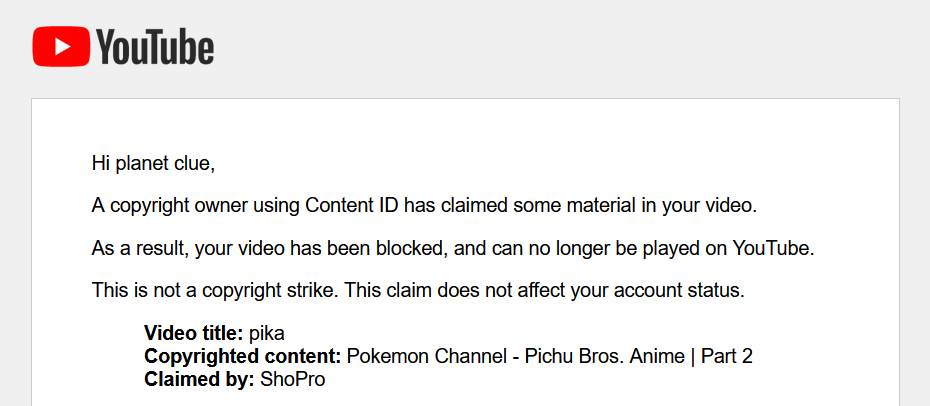
This is a major roadblock for content creators,
as YouTube’s Content ID will automatically
claim and remove gameplay footage that
shows even a fraction of the anime segments.
GameCube title that released in 2003.
However, it features long segments of
the Pichu Bros. anime, with no option
to skip viewing them.
This is a major roadblock for content creators,
as YouTube’s Content ID will automatically
claim and remove gameplay footage that
shows even a fraction of the anime segments.
In Stream Safe Edition, all
instances of the Pichu Bros. anime
are automatically skipped, at no
expense to the gameplay.
instances of the Pichu Bros. anime
are automatically skipped, at no
expense to the gameplay.



You can download Pokémon Channel Stream Safe Edition by clicking this button.

Once the respective pkmn-channel-sse-usa.rvz file has finished
downloading, you can open it directly with Dolphin Emulator.
downloading, you can open it directly with Dolphin Emulator.
FAQ
Frequently Asked Questions
How do I progress after each in-game day?
Much like Animal Crossing, Pokémon Channel uses the GameCube
hardware’s real-time clock.
When the final report for the day is written, and the game suggests you
wait until the next day for new programs to arrive, you can enable
Custom RTC in Dolphin to complete the game in one sitting.
Config -> Advanced -> Custom RTC
hardware’s real-time clock.
When the final report for the day is written, and the game suggests you
wait until the next day for new programs to arrive, you can enable
Custom RTC in Dolphin to complete the game in one sitting.
Config -> Advanced -> Custom RTC
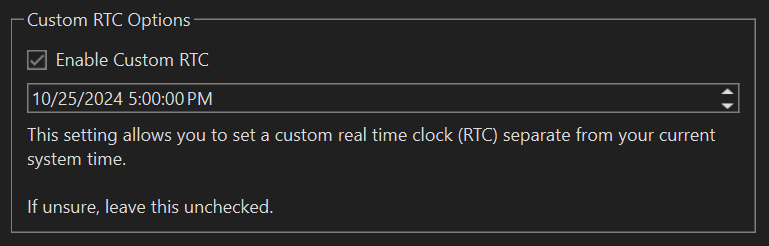
Close the game, tick the box, then advance the date by one day.
Open the game back up, and you can progress!
Open the game back up, and you can progress!
How can I play the game in widescreen?
In Dolphin Emulator, add your copy of
pkmn-channel-sse-usa.rvz to path by going to Config -> Paths.
Select Add, then choose the folder where your game is located.
pkmn-channel-sse-usa.rvz to path by going to Config -> Paths.
Select Add, then choose the folder where your game is located.
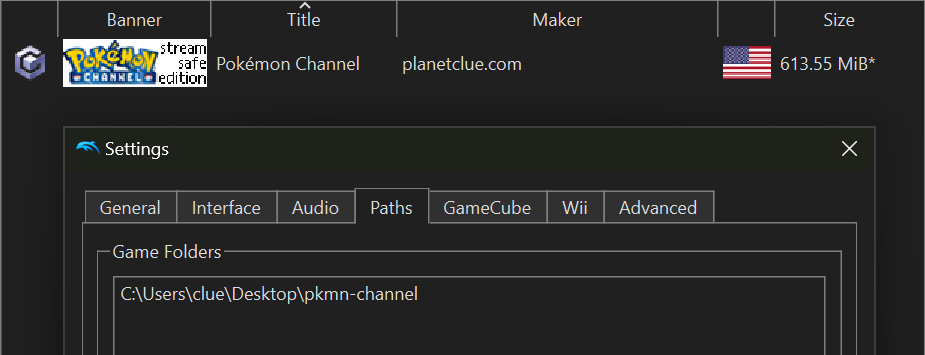
Once the game list is populated with Stream Safe Edition, right click on
the game, and select Properties.
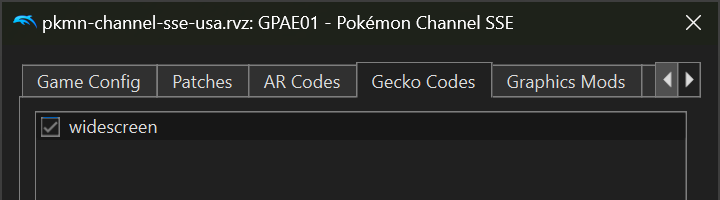
Select the Gecko Codes tab, select Add New Code, and copy/paste
the code below.
the game, and select Properties.
Select the Gecko Codes tab, select Add New Code, and copy/paste
the code below.
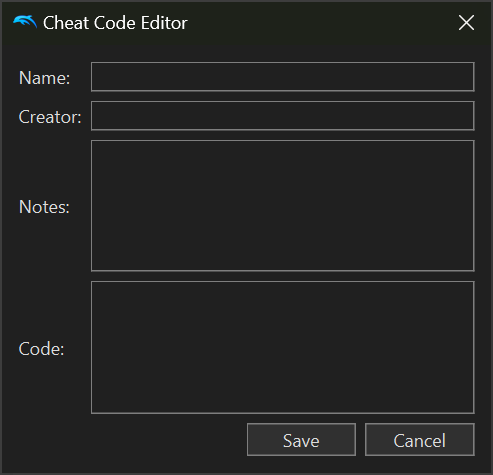
widescreen
C20F39E0 00000002
C0229AB4 D0230044
60000000 00000000
04352A34 3FE38E39
C0229AB4 D0230044
60000000 00000000
04352A34 3FE38E39
Click ‘Save’, tick the ‘widescreen’ box, and close the Properties panel.
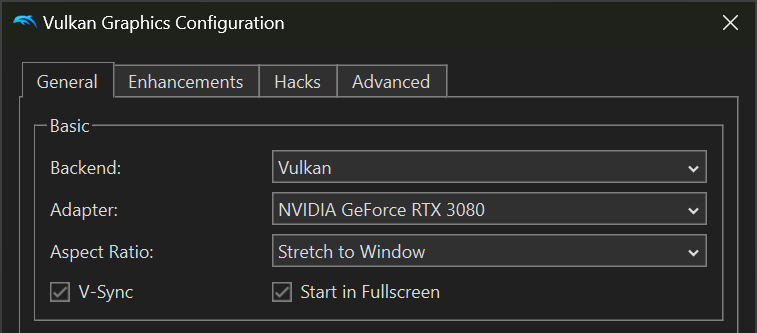
Then, open the Graphics settings, and set Aspect Ratio to
“Stretch to Window”, and tick the “Start in Fullscreen” box.
“Stretch to Window”, and tick the “Start in Fullscreen” box.
Now double-click the game in the game list,
and it’ll run in widescreen!
and it’ll run in widescreen!
Does this work on real hardware?
I have not personally tested it, but it should work!
Will there be a PAL or JPN version?
No! I don’t have the skill to port it, and I don’t want to pay a bounty
for a reverse engineer to port everything over to the other regions.
If someone out there wants to port it voluntarily, I would be
delighted to add it to this page.
for a reverse engineer to port everything over to the other regions.
If someone out there wants to port it voluntarily, I would be
delighted to add it to this page.
Special Thanks
Big McThankies to mono for their video skip code,
and Zarithya for their port of the widescreen code.
and Zarithya for their port of the widescreen code.
Contact
For contact, please email kaykayclue@gmail.com